Professional Workflow

Search Your iPhone Photos by Filename.

Stop endless scrolling. Find the exact asset instantly by searching your iPhone camera roll by its raw system filename or extension.

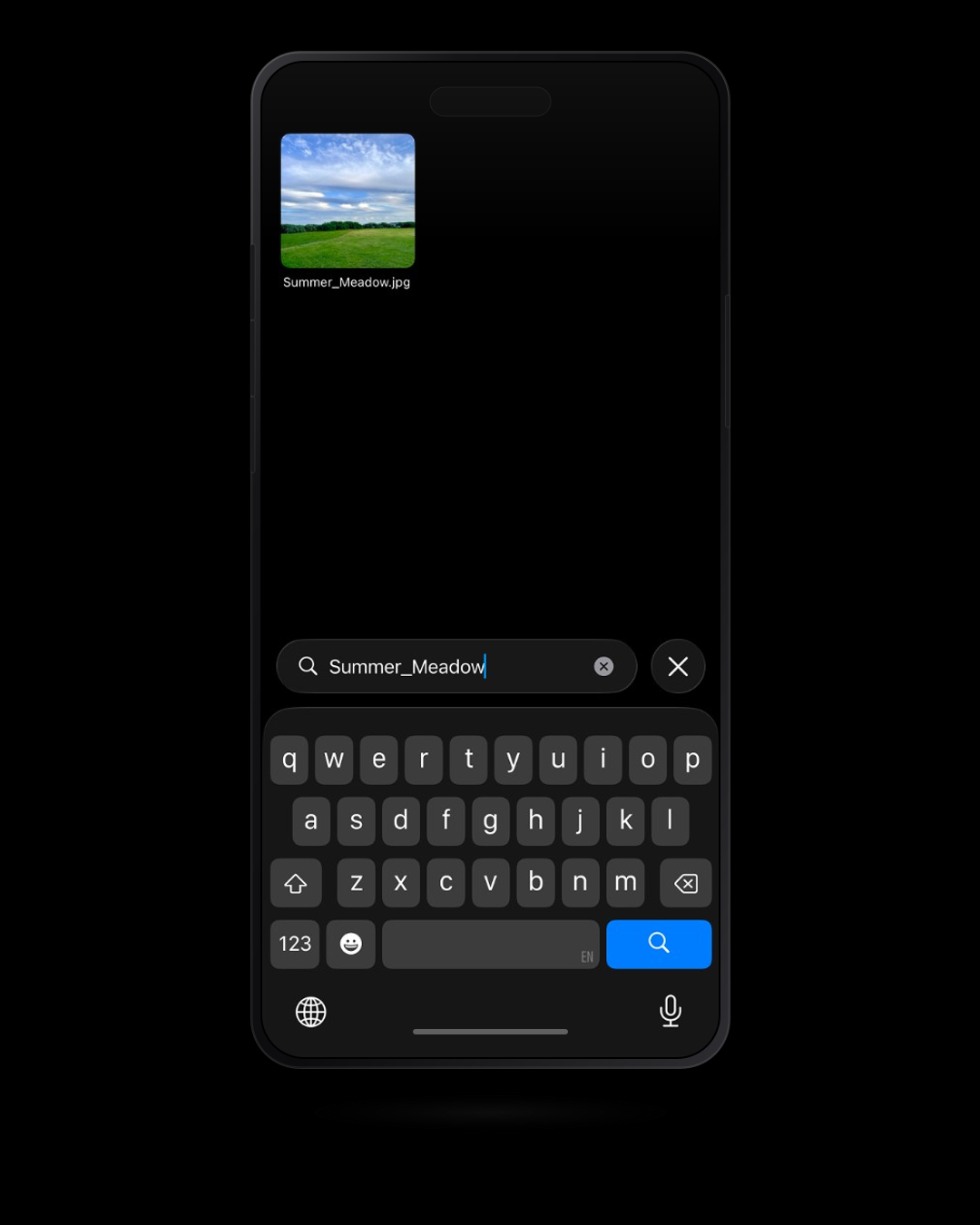
RollSearch iOS app searching iPhone photos by exact filename

Built for Speed

Free Forever

Precision Filename Retrieval

Bypass the cluttered photo grid completely. Type a raw filename (IMG_4091) or extension (.HEIC) to instantly pull up the exact iPhone photo or video you are looking for.

Zero Latency, Total Privacy

Experience lightning-fast results. Your library is indexed and processed entirely on your device with no cloud uploads required.

Seamless Integration

Stay organized effortlessly. Every action you take in RollSearch securely syncs directly with your native iOS photo library.

Upgrade Your Workflow
Lifetime Unlock

The Power User Suite

Take complete control of your media. Unlock the Premium suite with a single purchase to perform lightning-fast bulk actions and professional-grade inspections.

Execute Tasks Instantly

Eliminate tedious menu navigation. Use a 1-tap command overlay to share, delete, or route assets into a dedicated RollSearch album.

Verify Details on the Spot

Open files in full-screen to inspect visual quality and critical details without ever losing your place in the search context.

Professional-Grade Playback

Review your highest quality assets effortlessly. Experience smooth 4K video playback directly inside your search grid.

Own Your Tools

One activation grants permanent access to the entire suite. Pay once and elevate your workflow forever, with zero monthly fees.

Your iOS Camera Roll, Completely Secure

RollSearch operates strictly on your device. It accesses your iPhone photos locally to build a lightning-fast index without your files ever leaving your phone. You retain absolute control over your private assets.

Read the technical breakdown of how RollSearch bypasses the iOS photo abstraction layer →

Read our Privacy Policy

Frequently Asked Questions

iPhone Filename Search
How does RollSearch find photos faster than the native app?
The native Photos app relies on visual AI tagging (like searching for "dog" or "beach"), which abstracts away the file system. RollSearch uses Apple's PhotoKit APIs to read your library's underlying metadata, allowing you to query the exact system string in milliseconds.
What file extensions does RollSearch support?
You can search for any media type stored in your iOS camera roll. This includes standard formats like .HEIC, .JPG, .PNG, .MOV, and .MP4, as well as specific iOS screenshot identifiers.
Is RollSearch a subscription?
No. The core filename lookup tool is free forever. The Premium suite (Action Pill, Media Inspector, 4K playback) is a single, one-time lifetime purchase. You buy the tool once and own it.
Do my private photos stay on my device?
Yes. RollSearch uses a strict zero-cloud architecture. Your library is indexed entirely on your local hardware, and your media files never leave your phone.

Stop scrolling. Start finding.

Locate and manage your media like a professional.

Download RollSearch Today