Zero Config Audio
CoreRecord uses macOS ScreenCaptureKit to capture system audio alongside your microphone in one mixed recording, with no extra setup.
Product ownership overview
Native macOS meeting intelligence, roadmapped for complete data sovereignty, Apple Silicon limits, and hybrid Private Cloud Compute summarization.
Defining one Mac session that records microphone and system audio on a single timeline for local meeting playback and downstream transcription.
Building sync on macOS audio taps so mic and desktop audio stay aligned, with one-tap record and local file save on stop.
Shipping live speech-to-text and Apple Intelligence summaries on top of the same capture path, with hybrid Private Cloud Compute when context exceeds on-device limits.
Mic and system capture stay on Mac by default. Raw meeting audio does not pass through a third-party cloud for the core record path shown in Part 1 of the build series.
Multi-source audio capture, local transcription, and PCC-aware summarization shipped as a native Mac meeting utility.
 Free download. No account required.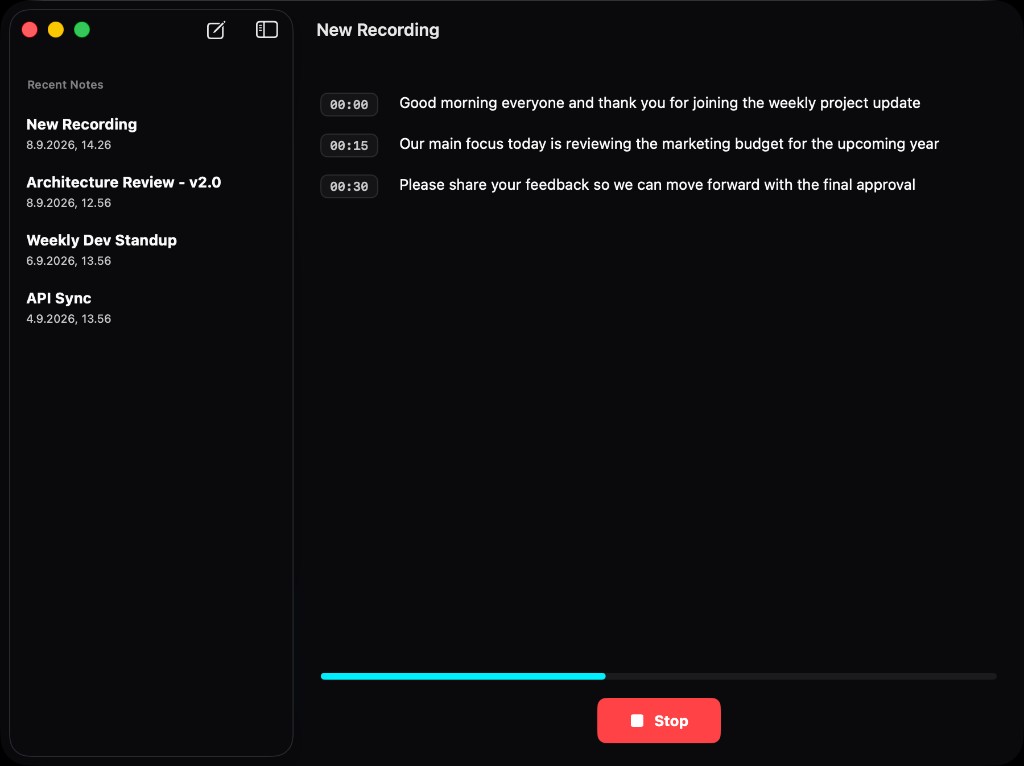
CoreRecord uses macOS ScreenCaptureKit to capture system audio alongside your microphone in one mixed recording, with no extra setup.
Powered by Apple's SFSpeechRecognizer. Audio is processed into clean, timestamped paragraph chunks directly on your Mac's silicon, completely offline.
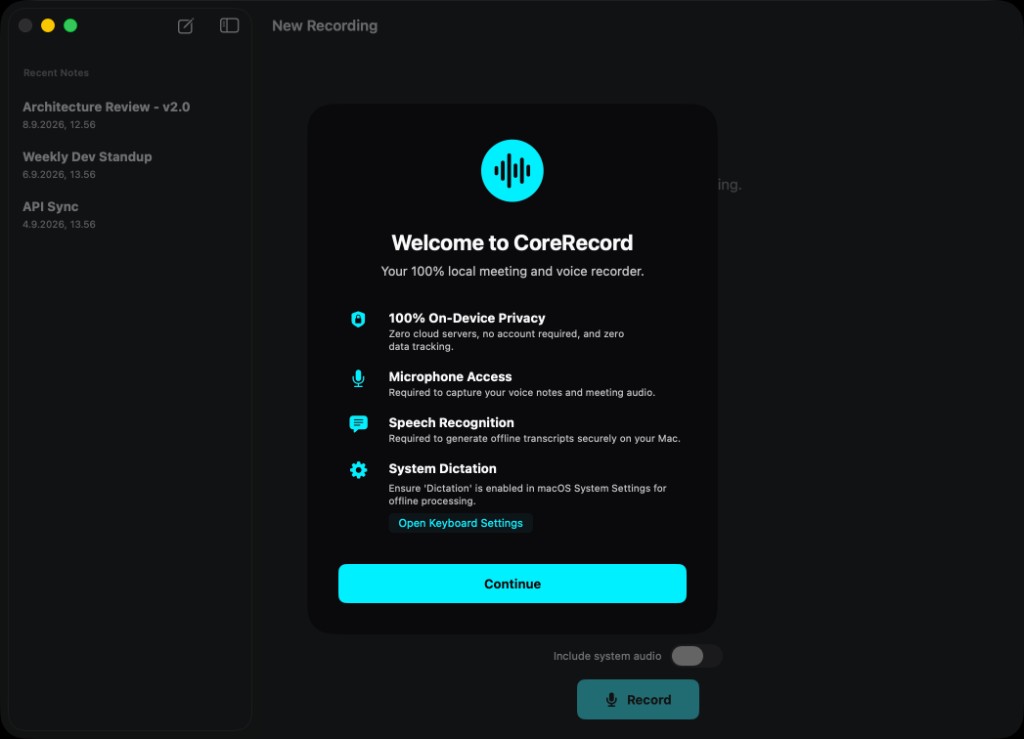
Your recordings are saved as durable .caf files straight to your hard drive. There is no cloud sync, no background uploading, and absolutely no external third-party AI APIs analyzing your confidential meetings.
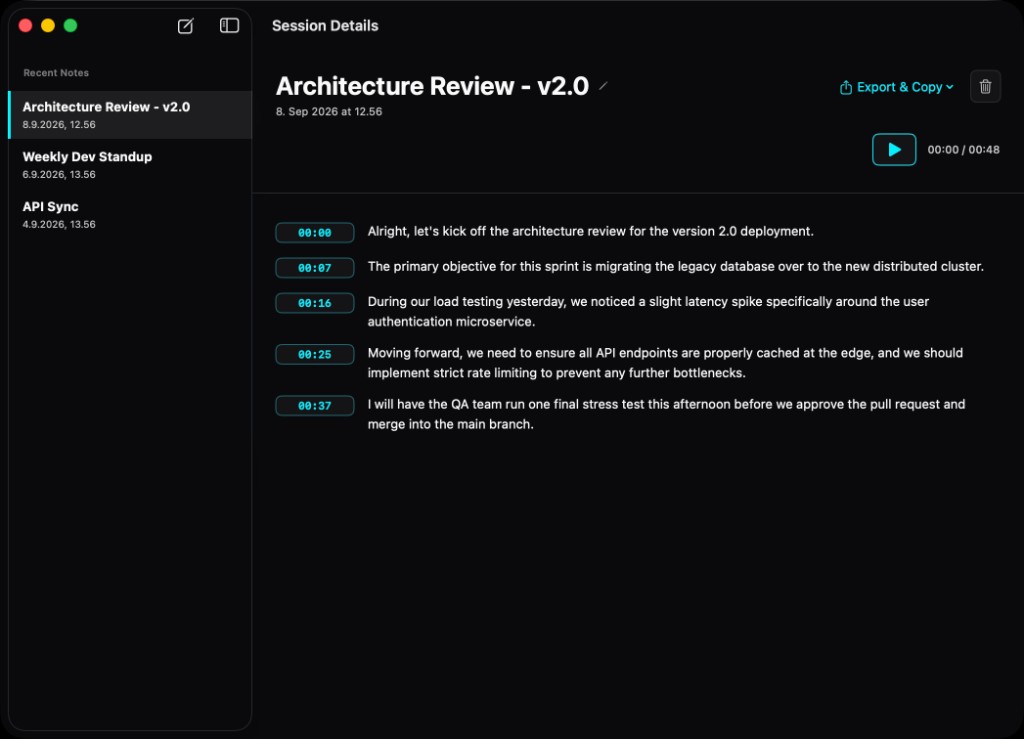
CoreRecord isn't just a recorder; it's a playback engine. Your session library organizes transcripts with precise monospaced timestamps. Want to hear exactly how someone phrased a sentence? Just click the neon cyan time badge to jump the audio directly to that exact second.
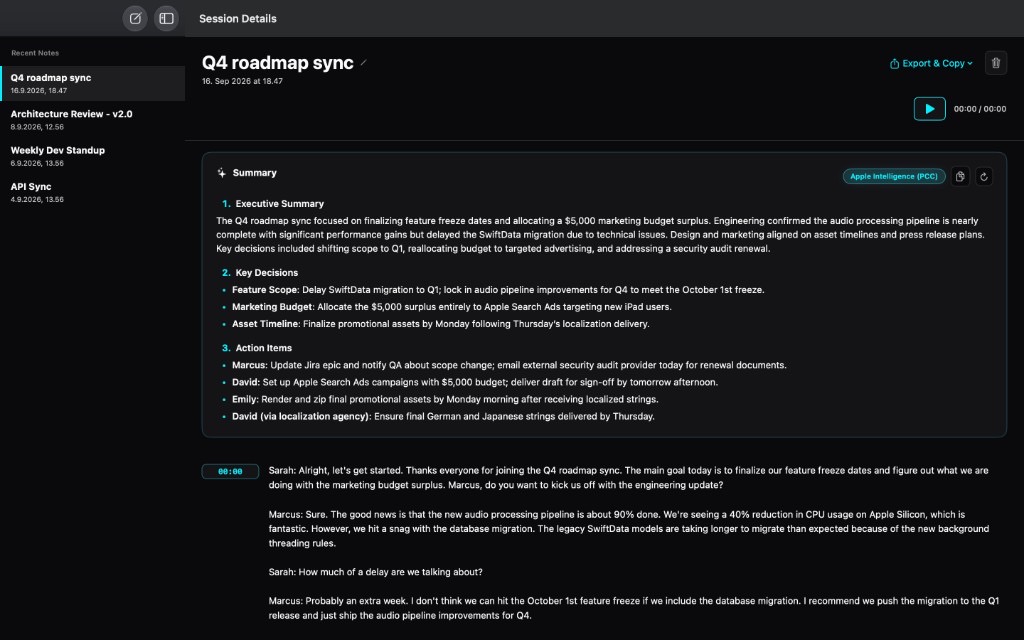
Generate deep meeting summaries using Apple's secure Private Cloud Compute foundation models. The system intelligently handles transcripts up to 80,000 characters and smoothly falls back to your Mac's on-device AI engine if you hit daily quotas or drop offline.
Choose the tier that fits your workflow. No hidden fees.
The perfect private voice memo and dictation tool for your Mac.
Unlock System Audio capture for remote meetings and interviews.
Executive summaries powered by Apple's Private Cloud Compute.
Download CoreRecord v2 and let your Mac do the typing, securely.
Free download. No account required.Apple Intelligence meeting summaries via Private Cloud Compute, with on-device SystemLanguageModel fallback. CoreRecord AI monthly subscription (includes Pro system audio). Updated privacy policy and hybrid routing for transcript-only PCC requests.
Initial Mac App Store release: on-device transcription, lifetime Pro unlock for ScreenCaptureKit system audio, local .caf storage, and zero developer cloud servers.
Ship notes on Mac meeting capture, on-device transcription, and Private Cloud Compute summaries.