How to Get iOS 27's Smart Calendar AI in Europe Right Now
Certain Apple Intelligence calendar features are currently unavailable in the EU. LocalPlan uses on-device Apple Foundation Models to turn text into events on iOS 26.
Featured application
Apple designed iOS 27 to reduce scheduling friction. System-wide Apple Intelligence can read an incoming text or email and propose a calendar event. In Europe, many of those integrations are not yet available or are rolling out slowly. You still copy dates, times, and addresses by hand between Messages and Apple Calendar.
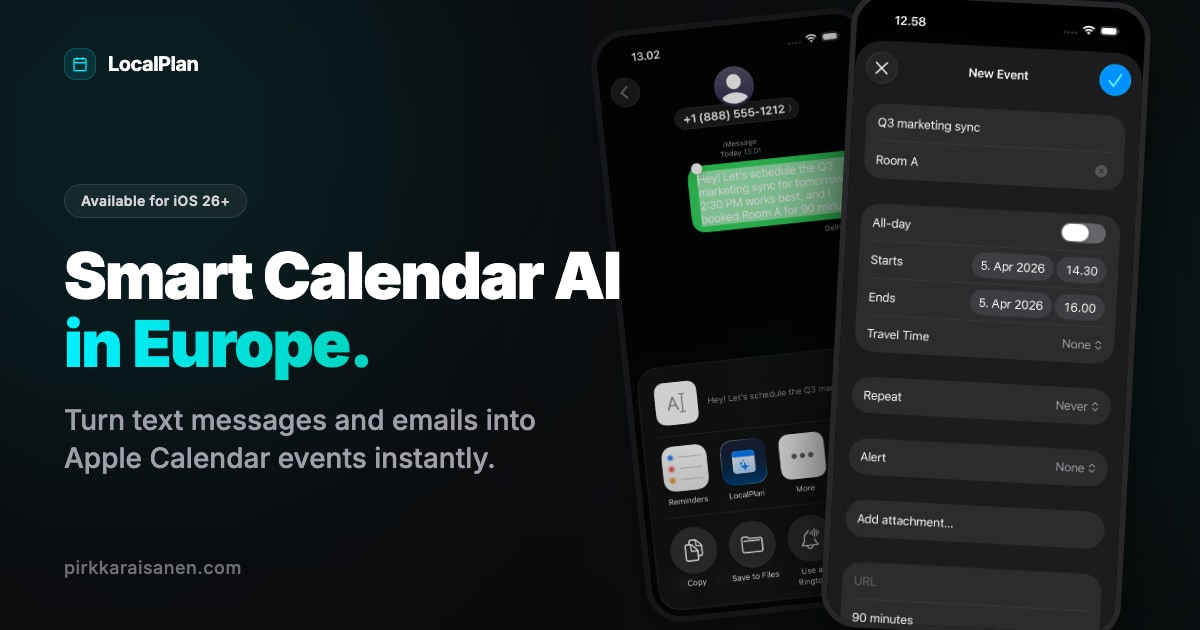
I built LocalPlan for that workflow. Available on iOS 26 today, the app turns text messages, emails, and flight itineraries into Apple Calendar events on your iPhone, without waiting for iOS 27 or regional OS rollouts.
Regional availability and on-device AI scheduling
Siri and system-level AI features sit on Apple’s platform roadmap and ship on different regional timelines.
LocalPlan is a sandboxed app, not an OS service. Highlight a text message, itinerary, or client email, open the iOS Share Sheet, and send the selection to LocalPlan. On-device models pull dates, times, and locations into a calendar block you save in Apple Calendar.
Processing stays on the phone inside one utility app.
100% local and privacy-first
Your schedule and message text stay private. LocalPlan runs Apple Foundation Models on Apple silicon to parse shared text on the iPhone.
LocalPlan keeps itineraries off developer servers, skips third-party accounts, and does not use your content to train external models. Data stays on device for the extraction path the app controls.
Same zero-cloud pattern as LocalMemo.
One tool, one purchase
Download is free with 3 trial uses. Unlimited AI scheduling unlocks with a single lifetime purchase. There are no recurring subscriptions or usage caps after unlock.
Conclusion
You can cut manual scheduling work before platform rollouts finish everywhere. The iOS Share Sheet plus on-device Apple silicon gives you AI event extraction in a single-purpose app today.
Try LocalPlan on the App Store. Explore RollSearch for local photo indexing, or visit the App Catalog for more zero-cloud utilities.
Sources: Apple Foundation Models · LocalPlan
Self-Test & FAQ
Click to reveal answerCan I use Apple Intelligence calendar features in the EU?
Does LocalPlan work on iOS 26?
How do I turn a text message into a calendar event on iPhone?
Is my private schedule data sent to a cloud server?

Newsletter
Join the Newsletter
Technical notes on on-device AI, generative music workflows, and building native Apple software sent directly to your inbox.
Subscribe via beehiiv. See ourPrivacy Policy.